Key takeaways
- Choose a newsletter tool for how easy it is to write and send every month.
- A simple three-part format makes each issue quick to write.
- Send on the same day each month so readers learn to expect you.
- Use clicks to learn what readers want and lead with that topic next time.
A newsletter is one of the simplest ways to stay in touch with customers. The hard part is keeping it going. Most business newsletters stop after issue three, not because nobody reads them, but because they take too long to write. This guide to email newsletter platforms shows what to look for in a tool, and gives you a simple format that makes every issue quick to write.
By the end, you will have a plan for your first issue and a tool shortlist.
What do email newsletter platforms do?
A newsletter platform stores your subscribers, gives you templates to lay out each issue, sends it to your whole list safely, handles unsubscribes and shows you what readers clicked. The best ones make writing each issue fast, so the newsletter survives past issue three.
Behind the scenes, the platform also protects your sender reputation. It sends in batches, removes addresses that bounce, and adds the one-click unsubscribe that Gmail and Yahoo expect from bulk senders (Google's email sender guidelines).
How do you choose between email newsletter platforms?
Judge newsletter tools on four things: how fast you can write an issue, how good the templates look on a phone, whether you can automate a welcome email for new subscribers, and how the price changes as your list grows. Test the free plans before you commit.
Features to prioritise:
- Fast writing. Templates with fixed sections, and ideally an AI writer for first drafts. See how the AI email writer works.
- Mobile-friendly templates. Most readers open on a phone.
- A welcome automation. New subscribers should hear from you straight away, not weeks later at the next issue.
- Click reports. They show which topics your readers care about.
- Fair pricing. Check the price at your list size and at double it.
Creator-focused tools add paid subscriptions and referral programs. Those are great for independent writers, but most solo business owners simply need a reliable monthly update.
What should a business newsletter include?
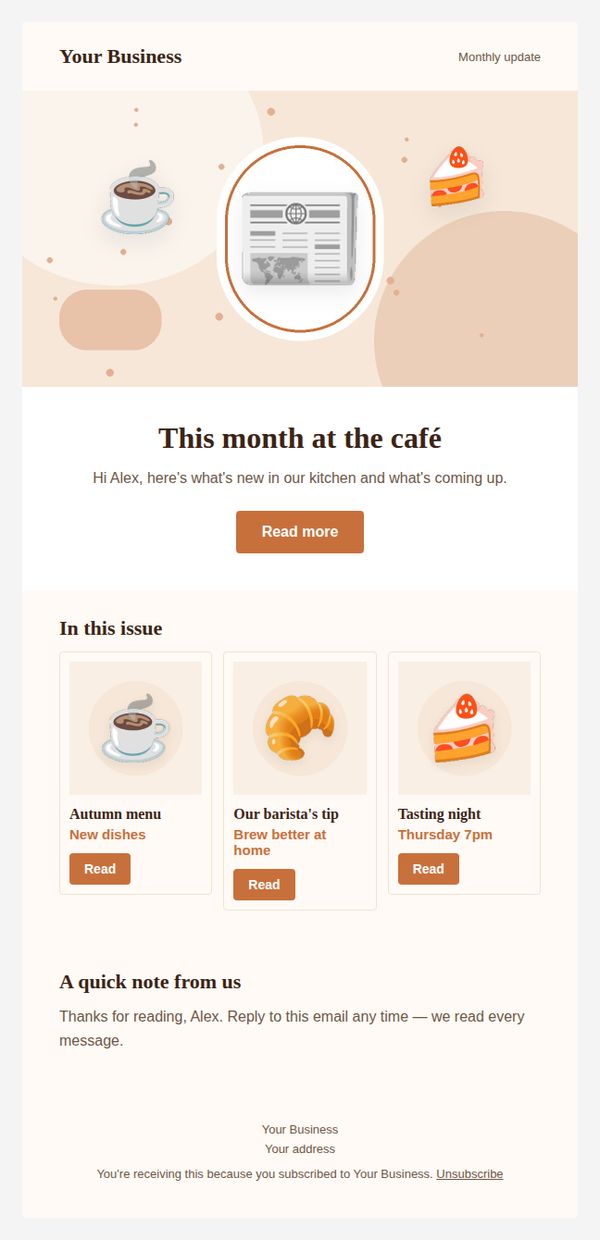
Use a simple three-part format: one useful tip, one piece of news from your business, and one link worth reading. The same structure every month makes writing fast for you and familiar for your readers.
A format that works for most businesses:
- This month's tip. Two or three sentences of genuinely useful advice.
- What's new. One short update: a new product, service, opening hours or event.
- Worth a look. One link: your blog post, a guide or a seasonal offer.
End with a friendly sign-off and an invitation to reply. Replies are valuable: they tell you what customers care about, give you ideas for future issues and show inbox providers that people want your emails. A simple line like "Hit reply and tell me what you'd like to read next month" is enough to start the conversation. Our free monthly newsletter templates use exactly this layout, with versions for different types of business.
How do you write a newsletter people actually read?
Write like you talk, keep it short, lead with something useful, and use a subject line that says what is inside. Readers open newsletters they trust to be worth their time, so every issue should give before it asks.
Tips for better issues:
- Subject lines that inform. "October: 3 ways to prep your car for winter" beats "October Newsletter".
- One idea per section. If you have more, save it for next month.
- A real voice. Mention something that actually happened in your business.
- One main action. Do not bury your best link among ten others.
Stay on the right side of the rules too. Commercial emails need your postal address and a clear way to opt out (FTC CAN-SPAM guide). Your newsletter tool should add both automatically.
How often should you send, and when?
Monthly is a good rhythm for most solo business owners. Pick a fixed day, like the first Tuesday of the month, and stick to it. Consistency teaches readers to expect you and keeps the habit easy to maintain.
Choose the timing around your customers:
- Restaurants and cafés: midweek, before weekend plans are made.
- Gyms and coaches: Sunday evening or Monday morning, when people plan their week.
- Service businesses: at the start of a season, when a service is often due.
These are starting points, not rules. After three or four issues, compare your open and click rates by send day and adjust. Keep a simple note of each issue's subject, send time and most-clicked link. Patterns appear quickly, and they are more reliable than any general advice because they come from your own readers.
How do you grow your newsletter list?
Add a clear signup form to your website, mention the newsletter to customers in person or at checkout, and explain the benefit in one sentence. Grow slowly with people who want your emails, never with bought lists.
Simple ways to grow:
- A signup form on your homepage and contact page.
- A line in your email signature.
- A small welcome offer for new subscribers, delivered by a welcome automation.
My advice from building PostaraMail: give your newsletter a fixed format before you write issue one. Starting from the same three sections each month removes most of the effort, and effort is what makes newsletters stop.
Conclusion
The right newsletter tool makes writing fast, looks good on phones and welcomes new subscribers automatically. Use a simple three-part format, send on the same day each month, and let clicks guide your topics. Start small and stay consistent, and your newsletter will become a reliable way to bring customers back.
Keep reading
- AI Email Marketing: A Practical Guide for Solo Business Owners in 2026
- 10 Email Design Best Practices for Solo Business Owners in 2026
- Email marketing for freelancers
Ready to try it? Start free with PostaraMail: simple AI-powered email marketing built for solo business owners and freelancers.
Frequently asked questions
What is the difference between a newsletter and a campaign?
A newsletter is a regular email with useful updates, sent on a schedule. A campaign is any single email, often with one specific offer or announcement. Many businesses send a monthly newsletter plus the occasional campaign for sales or launches.
How long should a business newsletter be?
Short enough to read in a minute or two. Three sections usually work well: one useful tip, one piece of news and one link worth reading. If an issue feels long, save part of it for next month.
How often should I send a newsletter?
Monthly is a good starting point for most solo business owners. It is frequent enough to stay remembered and easy to keep up with. Choose a fixed day and stick to it, because consistency matters more than frequency.
How do I get more newsletter subscribers?
Add a simple signup form to your website, mention the newsletter at checkout or in your shop, and tell people what they will get, such as one useful tip a month. Never add people without their permission.
Can I automate my newsletter?
The newsletter itself is usually written fresh each time, but you can automate everything around it: a welcome series for new subscribers, and templates that make each issue quick to put together. Some businesses also use AI to write the first draft.