Key takeaways
- Email tools let you send one email to many people safely, with an unsubscribe link and your address included.
- Sending bulk email from a personal inbox risks your address being flagged as spam.
- The core features are contacts, templates, sending, automation and reports.
- Start free, send one useful email, and add features only when you need them.
If you have ever tried to email all your customers at once from Gmail, you already know the problem. It is slow, it looks messy, and you have no idea who read it. That is the job email marketing software is built for. In this guide, you will learn what these tools do, how they work behind the scenes, what they cost and how to pick the right one for a solo business.
No jargon, no hype. Just what you need to decide and get started this week.
What is email marketing software?
Email marketing software is an online tool that lets you send one email to many people at once. It stores your contacts, gives you templates to design the email, sends it in a way inbox providers trust, adds an unsubscribe link, and shows you who opened and clicked.
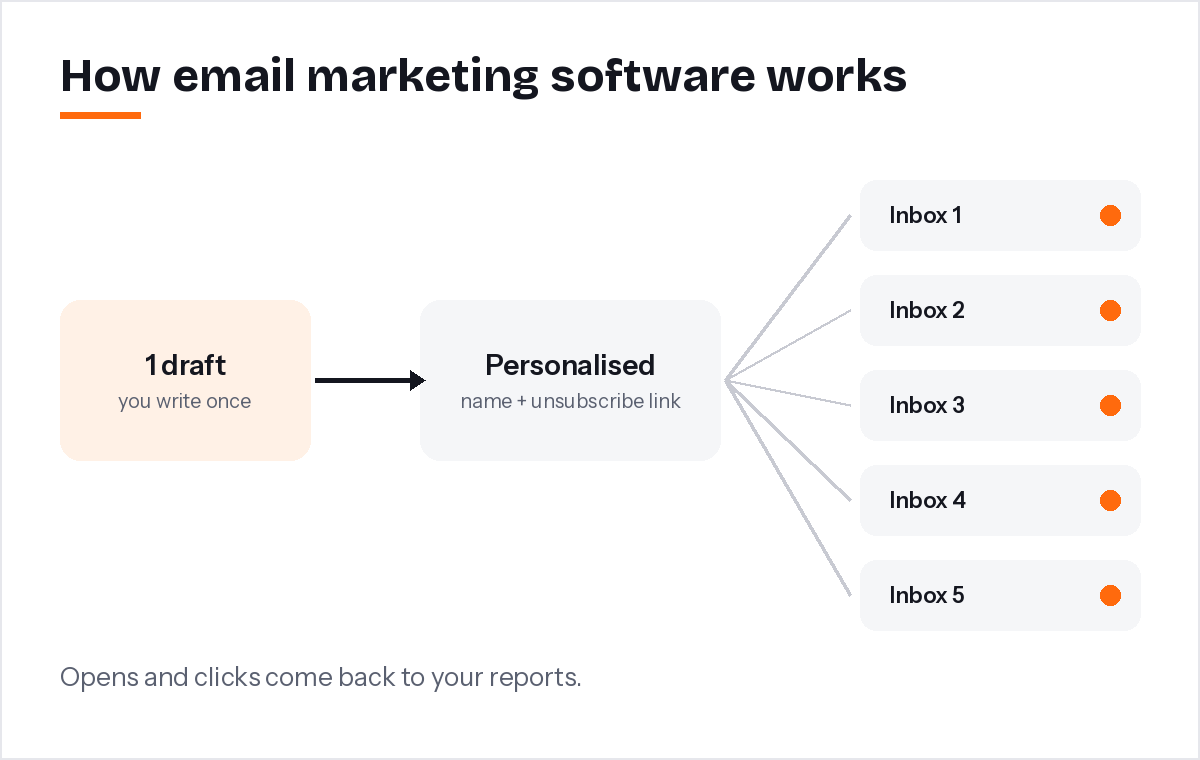
In simple terms, it is a mix of an address book, a design tool and a post office. You write one message, and the tool delivers a personal copy to every subscriber, each with their own name and their own unsubscribe link.
The tool also keeps your list clean. When someone unsubscribes or an address stops working, it stops emailing them automatically. Doing that by hand in a spreadsheet is where most DIY email efforts fall apart.
Why can't you just use Gmail?
A personal inbox is built for one-to-one conversations, not bulk sending. It has daily limits, no automatic unsubscribe, no reports and no protection for your sender reputation. Bulk emails from a personal address are more likely to be flagged as spam.
There is also a legal side. In the United States, the CAN-SPAM Act requires commercial emails to include a valid postal address and a clear way to opt out, and opt-out requests must be honoured within 10 business days (FTC compliance guide). A proper tool adds these to every email for you.
Inbox providers have also tightened the rules. Google now asks bulk senders to authenticate their email and support one-click unsubscribe (Google's email sender guidelines). Personal inboxes were never designed to meet those requirements for marketing email.
How does email marketing software work?
You add your contacts, choose or write an email, pick who should get it, and press send. The software queues the emails, sends them in batches from trusted servers, handles bounces and unsubscribes, and records each open and click.
Here is the journey of one campaign:
- Contacts go in. You import a CSV file or add people as they sign up on your website.
- You create the email. Start from a template, write it yourself or ask an AI writer for a first draft.
- The tool personalises it. Each copy gets the subscriber's first name and their own unsubscribe link.
- It sends in batches. Large lists go out gradually, which inbox providers prefer.
- Results come back. Opens, clicks, bounces and unsubscribes appear in your reports.
Which features does email marketing software include?
The core features are contact management, templates and an editor, bulk sending, automation, and reports. Newer tools add AI writing. For a solo business, those essentials cover almost everything you will need in your first year.
- Contacts. Import, export, and keep track of who is subscribed, unsubscribed or bounced.
- Templates and editor. Ready-made designs you can fill in. See our free email template library for examples by business type.
- Campaigns. One email sent to your whole list or a group.
- Automation. Emails that send themselves, like a welcome series for every new subscriber.
- Reports. Opens, clicks and which links people used.
- AI writing. Describe your goal in a sentence and get a first draft. Our guide to the AI email writer shows how this works in practice.
Bigger platforms add landing pages, SMS, e-commerce integrations and advanced segmentation. These are useful for larger teams, but many solo business owners never touch them.
How much does it cost?
Many tools offer a free plan for a small list. Paid plans usually rise with the number of subscribers or emails you send. For most solo business owners, the monthly cost stays modest until the list grows into the thousands.
When you compare prices, check three things: what counts toward the limit (contacts or emails sent), which features are locked to higher plans, and how the price changes when your list doubles. A tool that is cheap at 200 subscribers may not be cheap at 2,000.
How do you choose the right email tool?
Try two or three free plans and do the same small task in each: import a few contacts, create one email and send a test to your phone. Choose the one that felt easiest. The best tool is the one you will actually use every month.
A few practical tips:
- Pick a tool with templates made for businesses like yours.
- Make sure the free plan lets you test automation, not just one-off emails.
- Check the footer of a test email: your business address and an unsubscribe link should be there automatically.
- Read the pricing page at double your current list size.
When I started building PostaraMail, the biggest lesson from solo business owners was simple: they did not want more features. They wanted to spend less time on each email. Keep that in mind when a sales page lists fifty features you will never use.
Conclusion
Email tools exist so you can send one helpful message to many people safely, legally and without spending your evening on it. Start with the basics: contacts, a good template, one automation and clear reports. Try a free plan, send one useful email this month, and grow from there. If you would like a head start, you can see PostaraMail's plans and begin free.
Keep reading
- How to Choose Email Marketing Platforms for Solo Business Owners in 2026
- Free Email Marketing Software: What You Really Get in 2026
- AI email writing with PostaraMail
Ready to try it? Start free with PostaraMail: simple AI-powered email marketing built for solo business owners and freelancers.
Frequently asked questions
Can I use Gmail or Outlook for email marketing?
For a handful of people, yes. For a real list, no. Personal inboxes have daily sending limits, no unsubscribe handling and no reports. Sending the same message to hundreds of people from a personal address can also get it flagged as spam, which then affects your everyday emails too.
Is email marketing software hard to learn?
Modern tools are built for beginners. If you can write a normal email, you can send a campaign. Templates handle the design, and some tools include an AI writer that drafts the first version for you. Most people send their first campaign in the first hour.
What is the difference between an email marketing tool and a CRM?
A CRM tracks your relationship with each customer, such as deals, calls and notes. An email tool focuses on sending emails to groups of people and measuring the results. Many solo business owners only need an email tool at first and add a CRM later.
Do I need my own domain to send marketing emails?
It is strongly recommended. Sending from an address at your own domain looks more professional and lets you set up the authentication records inbox providers check. Free addresses like Gmail are not a good sender address for bulk email.
How often should a solo business send marketing emails?
Start with once a month and keep to the same day. That is often enough to stay remembered without tiring people out. Add more emails only when you have something genuinely useful to say, like a new offer, a seasonal reminder or helpful advice.