Key takeaways
- An email blast is one message sent to your whole list, and it needs a proper tool, not a personal inbox.
- Only email people who agreed to hear from you; bought lists damage your sender reputation.
- Every blast needs a clear subject, one main action, an unsubscribe link and your address.
- Send a test to yourself first and check the email on a phone.
Sometimes you need to tell everyone at once. A sale starts Friday. You are closed for the holidays. A new service is ready to book. That is what email blast tools are for: sending one message to your whole list in a few clicks. In this guide, you will learn how these tools work, what to look for, and how to send a blast that lands in the inbox instead of the spam folder.
The good news: once your list and template are ready, a well-made blast takes about 20 minutes.
What are email blast tools?
An email blast tool sends one email to many people at the same time. It stores your contacts, adds each person's name and unsubscribe link, sends the emails in safe batches, and reports who opened and clicked. Today most tools call this a "campaign".
The word "blast" sounds aggressive, and in the early days of email it often was. Today, a good blast is simply a campaign: a useful message sent to people who asked to hear from you.
The tool does the heavy lifting you cannot do from a normal inbox:
- Sends a personal copy to every subscriber, not one email with hundreds of addresses in the "To" line.
- Adds a working unsubscribe link and your business address to every copy.
- Skips anyone who unsubscribed or whose address bounced.
- Tracks opens and clicks so you know what worked.
Why shouldn't you send a mass email from Gmail?
Personal inboxes have sending limits, no unsubscribe handling and no reports. Putting hundreds of addresses in one email can expose everyone's address to everyone else, and bulk sending from a personal account is more likely to be flagged as spam.
There are rules to follow as well. The CAN-SPAM Act requires a clear way to opt out and a valid postal address in commercial emails (FTC compliance guide). In the UK, the ICO explains that you generally need consent before sending marketing emails to individuals (ICO direct marketing guidance). A proper tool handles the unsubscribe and address parts automatically.
What should you look for in email blast tools?
Look for an easy editor with good templates, safe sending with automatic bounce and unsubscribe handling, clear reports, and a price that fits your list size. If the tool can also help you write the email, even better.
A short checklist:
- Templates for your type of business. You should not have to design from scratch. Browse examples in our free template library.
- Personalisation. At minimum, the subscriber's first name.
- Test sends. Always send a copy to yourself before everyone.
- List protection. Automatic removal of bounced and complaining addresses.
- Simple reports. Opens, clicks and which links worked.
- Fair pricing. Check the price at your list size and at double it.
How do you send an email blast step by step?
Import your list, choose a template, write one clear message with one main button, send a test to yourself, then send to everyone. Afterwards, check which link got the most clicks to plan your next email.
Here is the process:
- Clean your list. Remove anyone who did not agree to hear from you.
- Pick a template. Choose one that matches your goal: offer, news or reminder.
- Write the subject line. Say what is inside in a few words, like "Winter sale ends Sunday".
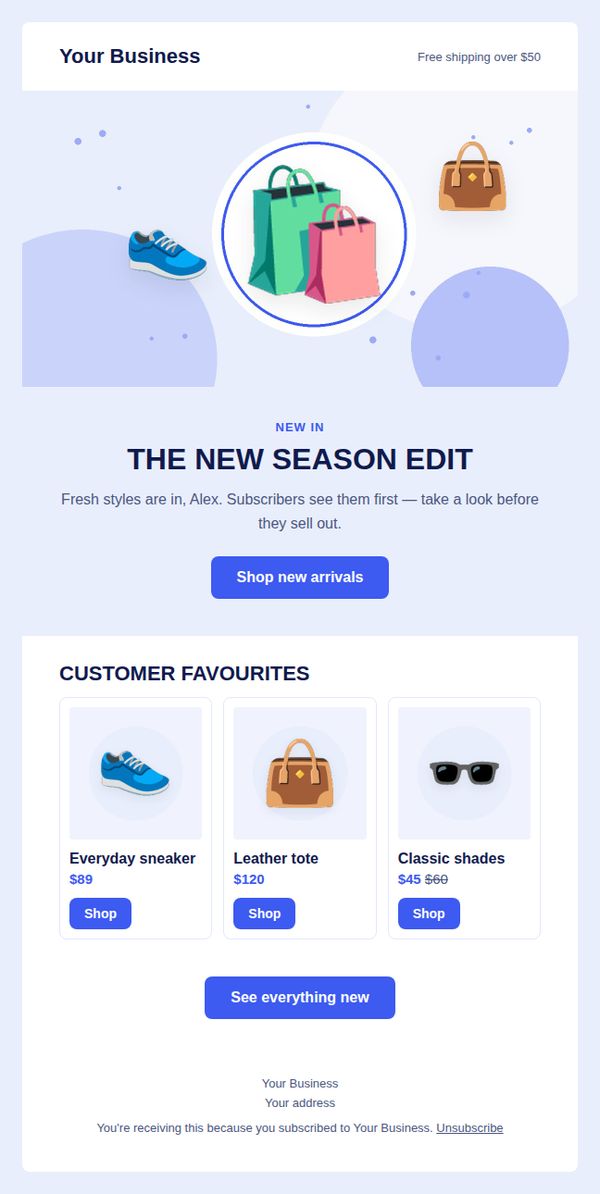
- Write the message. Short paragraphs, one main button, your name at the end. An AI email writer can draft this from a single sentence.
- Send a test. Read it on your phone. Check every link.
- Send to your list. Then leave it alone for a day before looking at results.
How do you keep your email blast out of spam?
Send only to people who opted in, authenticate your sending domain, include a one-click unsubscribe, keep your list clean and send relevant content on a regular schedule. Inbox providers watch complaints closely, so emails people want are your best protection.
Google asks bulk senders to authenticate their email, support one-click unsubscribe and keep spam complaint rates low, below 0.3% as reported in Postmaster Tools (Google's email sender guidelines). In practice, that means:
- Never buy lists. They are full of people who did not ask for your email.
- Remove bounces. A good tool does this for you.
- Stay consistent. Sending a huge blast once a year to a cold list is risky. A steady monthly rhythm is safer.
- Make leaving easy. An easy unsubscribe is better than a spam complaint.
What should you measure after an email blast?
Measure clicks first, then opens, then the action you wanted, such as sales, bookings or replies. Note which link got the most clicks and which subject lines performed best, and use those lessons in your next email.
Keep a simple log for each blast: date, subject, open rate, click rate, and one sentence on what happened in the business afterwards. After three or four emails, patterns appear. You might notice that practical tips get more clicks than discounts, or that Thursday emails beat Monday emails.
My advice from building PostaraMail: keep each blast to one specific message. A short email with one clear offer is easier to read, easier to act on and easier to measure than a long email that tries to say everything at once.
Conclusion
Email blast tools let you reach everyone at once, safely and legally, in about 20 minutes. Send only to people who opted in, keep each message short with one clear action, test it on your phone, and measure clicks to guide your next email. When you are ready to send your first one, you can compare PostaraMail plans and start free.
Keep reading
- Email Deliverability: 9 Simple Fixes to Reach the Inbox in 2026
- 10 Email Design Best Practices for Solo Business Owners in 2026
- PostaraMail features
Ready to try it? Start free with PostaraMail: simple AI-powered email marketing built for solo business owners and freelancers.
Frequently asked questions
What is an email blast?
An email blast is a single email sent to your whole list, or a large part of it, at the same time. It is usually used for news, offers or announcements. Today most people call it a campaign, but the idea is the same: one message, many recipients.
Is it legal to send email blasts?
Yes, if you follow the rules. In the United States, commercial emails must identify the sender, include a valid postal address and offer a clear way to opt out. In the UK and EU, you generally need consent before sending marketing emails. Only email people who agreed to hear from you.
How many emails can I send at once?
It depends on your tool and plan. Email tools send large lists in batches from trusted servers, so you can reach thousands of people safely. Personal inboxes like Gmail have much lower daily limits and are not designed for marketing email.
Can I buy an email list for my blasts?
No. Bought lists are full of people who never agreed to hear from you, old addresses and spam traps. They lead to complaints, bounces and a damaged sender reputation. Most email tools forbid them. Grow your own list with a simple signup form instead.
What is the best time to send an email blast?
There is no single best time for everyone. Think about when your customers make decisions: weekends for restaurants, Sunday evening for gyms, early week for salons. Send at the same time each month, then compare results and adjust.