Key takeaways
- Deliverability is about trust: authenticate your domain, send wanted email and keep complaints low.
- Set up SPF, DKIM and DMARC for your sending domain.
- One-click unsubscribe and a clean list protect your reputation.
- Watch your spam complaint rate with Google Postmaster Tools.
You wrote a great email. You sent it to your whole list. And almost nobody opened it. Often the problem is not the email at all. It is email deliverability: whether your message reaches the inbox, the promotions tab or the spam folder. In this guide, you will learn nine practical fixes that help solo business owners land in the inbox, explained in plain English.
You do not need to be technical. Most of these fixes take minutes, and your email tool does much of the work.
What is email deliverability?
Email deliverability is your ability to get emails into your subscribers' inboxes rather than their spam folders. It depends mainly on three things: proof that you are who you say you are, your reputation as a sender, and whether people want your emails.
Think of Gmail, Outlook and Yahoo as careful receptionists. Before passing your email along, they ask: Is this sender real? Have their past emails been wanted? Do people complain about them? The better your answers, the more of your emails reach the inbox.
Why does email deliverability matter more in 2026?
In 2024, Google and Yahoo introduced stricter rules for bulk senders: authenticate your email, make unsubscribing easy and keep spam complaints low. Emails that don't meet these rules are more likely to be filtered or rejected.
Google's sender guidelines ask bulk senders to set up authentication, support one-click unsubscribe and keep spam rates reported in Postmaster Tools below 0.3% (Google's email sender guidelines). Yahoo publishes similar expectations (Yahoo sender best practices). These rules protect inboxes from spam, and they reward senders who do things properly.
Nine fixes that improve deliverability
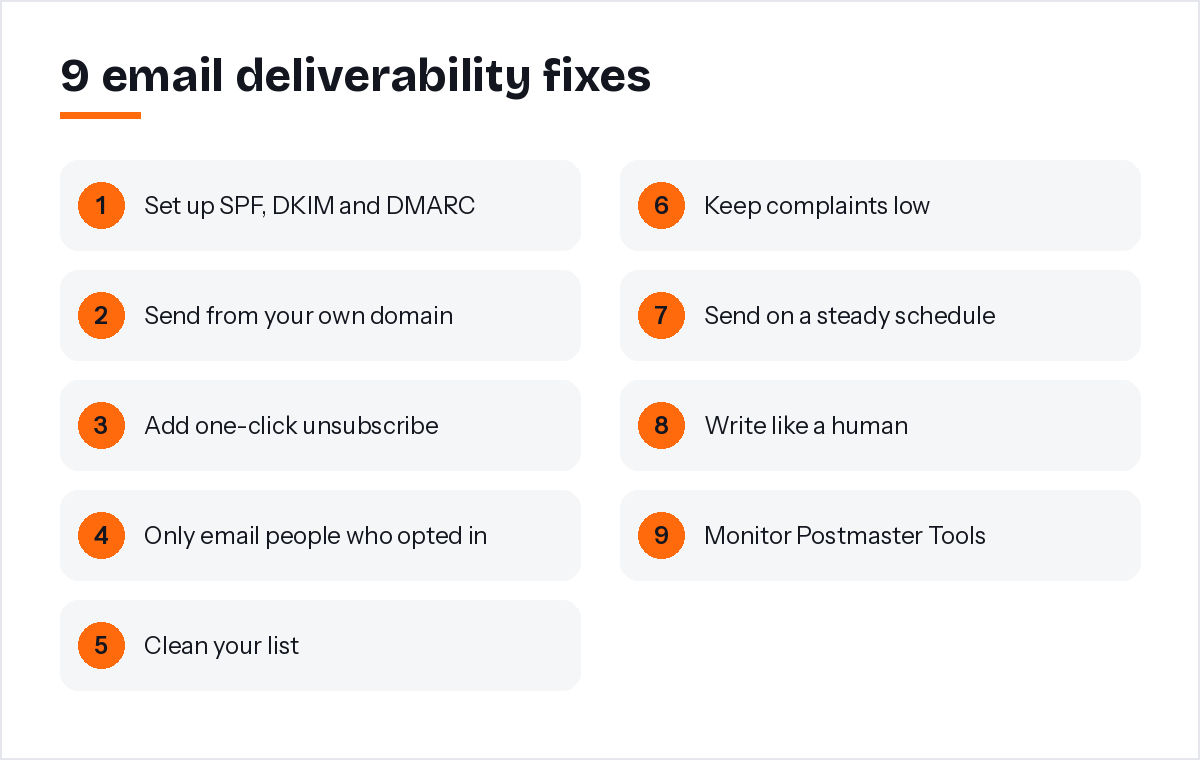
Authenticate your domain, send from your own domain, add one-click unsubscribe, email only opted-in people, clean your list, keep complaints low, send consistently, write like a human and monitor your results. Together, these build trust with inbox providers.
1. Set up SPF, DKIM and DMARC
These are small text records you add to your domain's settings. SPF lists who may send email for your domain, DKIM adds a digital signature, and DMARC tells inbox providers what to do if a check fails. The DMARC organisation has a clear overview of how DMARC works.
2. Send from your own domain
Use an address like hello@yourbusiness.com, not a free Gmail or Yahoo address. It looks more professional and lets you authenticate properly.
3. Add one-click unsubscribe
A standard called RFC 8058 lets inbox providers show an "Unsubscribe" button right next to your name (RFC 8058). PostaraMail adds these headers to every email automatically.
4. Only email people who opted in
Bought lists and scraped addresses lead to complaints and spam traps. Grow your own list, even if it grows slowly.
5. Clean your list
Remove addresses that bounce straight away. Every few months, check in with people who have not opened in a long time, and remove those who still do not respond.
6. Keep complaints low
The spam button is the strongest negative signal there is. Make your emails easy to leave, relevant and expected.
7. Send on a steady schedule
Sudden large blasts to a quiet list look suspicious. A steady monthly or weekly rhythm is safer.
8. Write like a human
Clear subject lines, a normal tone and a sensible balance of text and images. Avoid shouting in capital letters or promising things that sound too good to be true.
9. Monitor your results
Google Postmaster Tools shows your domain's spam rate and reputation for Gmail (Google Postmaster Tools). Check it once a month.
How do you check your email deliverability?
Send test emails to your own Gmail, Outlook and Yahoo addresses, check where they land, look at your open and bounce rates over time, and review Google Postmaster Tools for your domain. A sudden drop in opens is often the first warning sign.
A simple monthly routine:
- Send your campaign to test addresses at the major providers first.
- Compare open rates with your previous three campaigns.
- Look at bounce and complaint numbers in your email tool.
- Check Postmaster Tools for any change in spam rate.
If opens suddenly drop, stop and review your recent changes: a new list import, a new sending domain or a different type of offer.
Which deliverability mistakes should you avoid?
The biggest mistakes are buying lists, hiding the unsubscribe link, sending from a free email address, skipping authentication and emailing a cold list after months of silence. Each one teaches inbox providers not to trust you.
A few more to watch:
- Importing an old list from years ago without a re-permission email first.
- Using link shorteners, which spammers also use.
- Sending one enormous image instead of real text.
If you are moving to a new email tool or a new domain, warm up slowly. Start with your most engaged subscribers, the people who opened or clicked recently, and send to the rest of your list over the following weeks. Inbox providers learn to trust a sender whose early emails are opened and wanted. Rushing that first week with a giant send to everyone is one of the most common ways solo business owners hurt their reputation before they have even started.
These are the main email deliverability traps I designed PostaraMail's safeguards around, which is why the platform adds one-click unsubscribe to every email and automatically stops emailing addresses that bounce or complain.
Conclusion
Deliverability is not magic. It is trust, built one email at a time. Authenticate your domain, send only to people who asked, make leaving easy and keep a steady rhythm. Check your results monthly and act early if opens drop. If you want these safeguards built in, you can see how PostaraMail handles sending, then pick a free email template for your next campaign.
Keep reading
- Email Blast Tools: How to Send a Mass Email the Right Way
- Automated Email Marketing: A Simple Setup Guide for Solo Business Owners
- Email marketing for solo business owners
Ready to try it? Start free with PostaraMail: simple AI-powered email marketing built for solo business owners and freelancers.
Frequently asked questions
What is a good spam complaint rate?
As low as possible. Google's sender guidelines ask bulk senders to keep the spam rate reported in Postmaster Tools below 0.3%, and to aim lower. The simplest way to stay low is to email only people who opted in and to make unsubscribing easy.
Do I need SPF, DKIM and DMARC?
Yes. Google and Yahoo now expect bulk senders to authenticate their email, and these three records are how inbox providers check that an email really comes from your domain. Your email tool and domain host usually provide the exact records to add.
Why are my emails going to the promotions tab?
The promotions tab is not spam. Gmail sorts marketing emails there automatically. Emails that read more like a personal message, with fewer images and links, sometimes land in the main inbox, but reaching promotions is normal and fine for marketing email.
How often should I clean my email list?
Let your email tool remove bounces and complaints automatically after every send. Then every few months, look for people who have not opened in a long time. Send them a friendly check-in, and remove those who still do not respond.
Can a new domain have good deliverability?
Yes, but build trust gradually. Start by emailing your most engaged contacts, keep volumes steady, and avoid sending a huge blast on the first day. A new domain with authenticated, wanted email usually builds a good reputation over a few weeks.