Key takeaways
- Free plans are great for starting out, but each one limits contacts, emails or features.
- Check whether automation and reports are included, not just one-off emails.
- Expect the tool's branding on free emails in most cases.
- Upgrade when your list outgrows the limit or you need a locked feature, not before.
Every business wants to save money, and email marketing is one place you can start for nothing. But "free" means different things to different tools. This guide explains what free email marketing software actually includes, which limits to look for before you sign up, and how to know when it is time to pay.
By the end, you will be able to read any free plan in two minutes and know whether it fits your business.
What does free email marketing software include?
Most free plans let you store a small number of contacts, send a limited number of emails each month, and use basic templates and reports. Many include at least simple automation. In return, they usually show the provider's branding in your emails.
The core of most free plans:
- A contact limit, often a few hundred.
- A monthly email limit, sometimes daily.
- Templates and an editor, sometimes a reduced set.
- Basic reports, like opens and clicks.
- Provider branding in the email footer.
For example, PostaraMail's Free plan covers up to 100 subscribers and includes the AI writer and one automation. You can see exactly what each plan includes on the pricing page.
What limits should you check on free email marketing software?
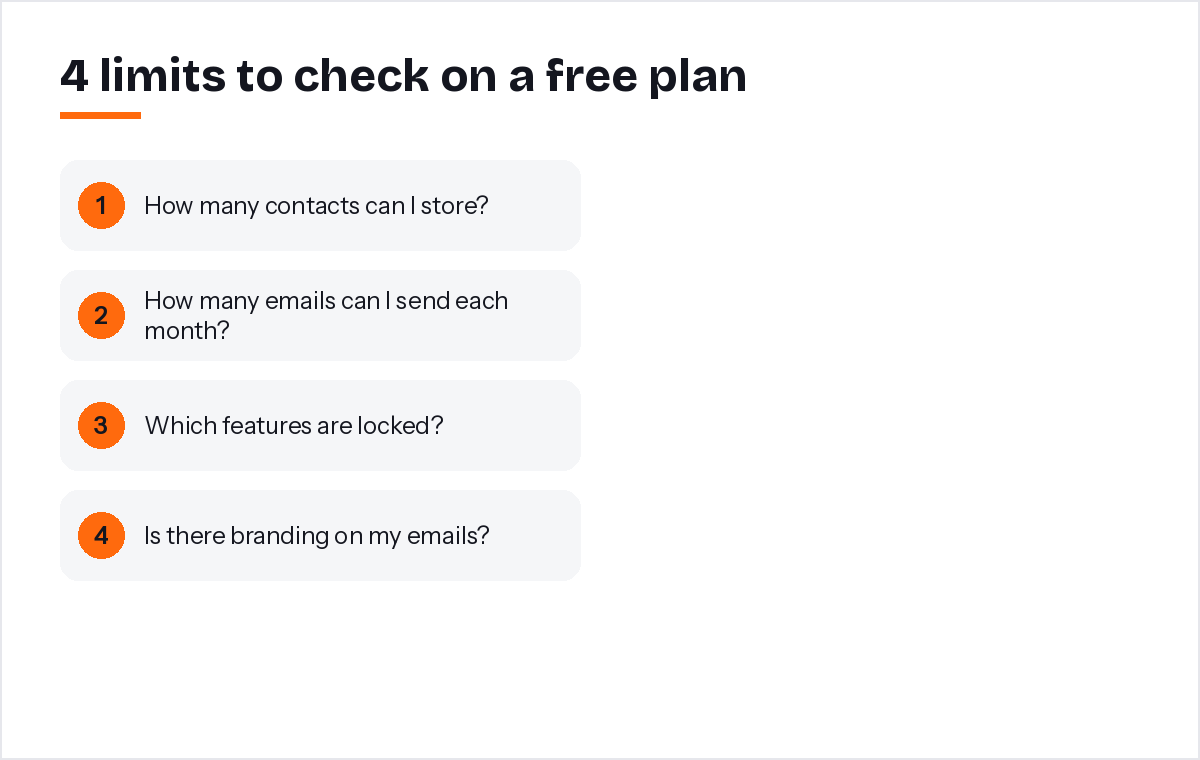
Check four limits before signing up: how many contacts you can store, how many emails you can send, which features are locked, and whether the tool counts unsubscribed contacts toward your limit. These decide how long the free plan will really last.
The questions that matter:
- Is it contacts or emails? A plan with plenty of contacts but few emails per month may not suit a weekly newsletter.
- Is automation included? A welcome email is one of the most valuable things you can set up. Make sure you can.
- What happens at the limit? Does sending stop, or are you upgraded automatically?
- Is there branding? A small logo in the footer is normal on free plans, but check how it looks.
Are free email tools good enough for a solo business?
For a new or small list, often yes. A free plan lets you build habits, test what your customers respond to and learn the tool without risk. The moment the limits start costing you results, upgrading is usually worth it.
Free plans work best when:
- You are just starting to collect subscribers.
- You send once or twice a month.
- You want to test a tool before committing.
They struggle when your list grows past the limit, when you want several automations, or when the tool's branding does not fit a premium brand.
A practical test: write down the three emails you most want to send in the next six months, such as a welcome email, a monthly update and a seasonal offer. Then check whether the free plan lets you send all three to your whole list. If it does, start free and focus on building the habit. If one of them is blocked, compare the cost of upgrading with the value of that email to your business.
What should every free email still include?
Every marketing email, free or paid, needs your business name, a valid postal address and a clear unsubscribe link. It should only go to people who agreed to hear from you. The price of the tool does not change your legal responsibilities.
In the United States, the CAN-SPAM Act requires commercial emails to include a valid postal address and a clear way to opt out, and opt-out requests must be honoured within 10 business days (FTC compliance guide). Inbox providers also expect one-click unsubscribe and low complaint rates from bulk senders (Google's email sender guidelines). A good free tool adds these for you automatically.
How do you get the most from a free plan?
Set up one welcome email, send a useful campaign each month, keep your list clean and use templates to save time. A free plan used consistently often delivers more than an expensive plan used once a year.
Five habits that make free plans go further:
- Start with a welcome email. It works every day without extra effort. See our guide to email automation.
- Use templates. Our free email templates are made for different types of business.
- Clean your list. Removing people who never open keeps you under the limit longer.
- Send on a fixed day. Consistency beats volume.
- Track clicks. They tell you what your customers want next.
When is it time to upgrade?
Upgrade when you pass the contact or email limit, when you need a feature the free plan locks, or when the tool's branding no longer fits your brand. Upgrading is a sign that email is working, not a failure to stay free.
A useful rule: if email is bringing you customers, spending a small monthly amount to keep it growing is usually easy to justify. Compare the paid plan's price with the value of one or two extra sales or bookings a month.
When we designed PostaraMail's Free plan, we decided the AI writer and one automation had to be included. In my experience, a free plan without automation teaches people to send one-off emails and give up, while a free plan with a welcome email shows them what email can really do.
Conclusion
Free email tools are a smart way to start. Read the plan carefully, focusing on contact limits, email limits, automation and branding. Keep the legal basics in every email, set up a welcome email and send something useful every month. When the free limits start holding you back, upgrade with confidence, because by then email will have proven its value.
Keep reading
- Affordable Email Marketing: How to Cut Costs Without Losing Results
- What Is Email Marketing Software? A Beginner's Guide for 2026
- Email marketing for freelancers
Ready to try it? Start free with PostaraMail: simple AI-powered email marketing built for solo business owners and freelancers.
Frequently asked questions
Is free email marketing software really free?
Yes, within limits. Free plans cap the number of contacts, emails per month or features. Many add the provider's logo to your emails. For a new business with a small list, a free plan can be all you need for months.
What is usually missing from free email plans?
It varies by tool. Common limits include fewer automations, fewer templates, limited reports, the tool's branding in the footer and basic support only. Check the plan page carefully so you are not surprised when you try to set up a welcome series.
Can I use free email tools for my business legally?
Yes. The legal rules apply to what you send, not to the price of the tool. Include your postal address and a clear unsubscribe link, only email people who agreed to hear from you, and honour unsubscribes promptly.
When should I upgrade from a free plan?
Upgrade when your list passes the free limit, when you need a feature that is locked, or when removing the tool's branding matters to your brand. There is no prize for staying free if the limits are costing you customers.
Will my contacts be lost if I stop using a free tool?
Not if you export them first. Before leaving any tool, export your subscribed contacts as a CSV file. Keep a copy somewhere safe, and remember to keep unsubscribed people off any new list.