
Send a campaign to the right regions
Pick the email, choose who may receive it by region, and send. The rules differ by country, and PostaraMail applies them for you.
1Start a campaign
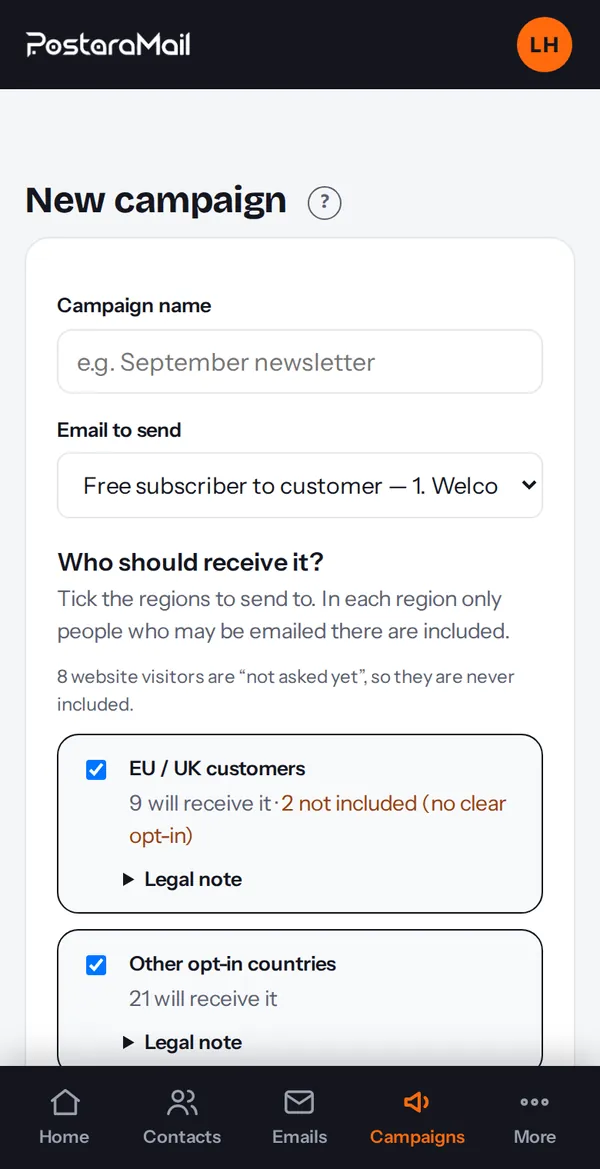
Open Campaigns and press New campaign. Give it a name and choose the email to send.
2Choose the regions
Under Who should receive it? you see four boxes: EU/UK/Switzerland, the Gulf (UAE, Saudi Arabia, Qatar, Bahrain, Oman, Kuwait), other opt-in countries (Canada, Australia, NZ, India, Brazil, Singapore, Japan, Korea and similar) and everywhere else (for example the US). Each shows how many people will receive it and how many are not included.
3Why some people are not included
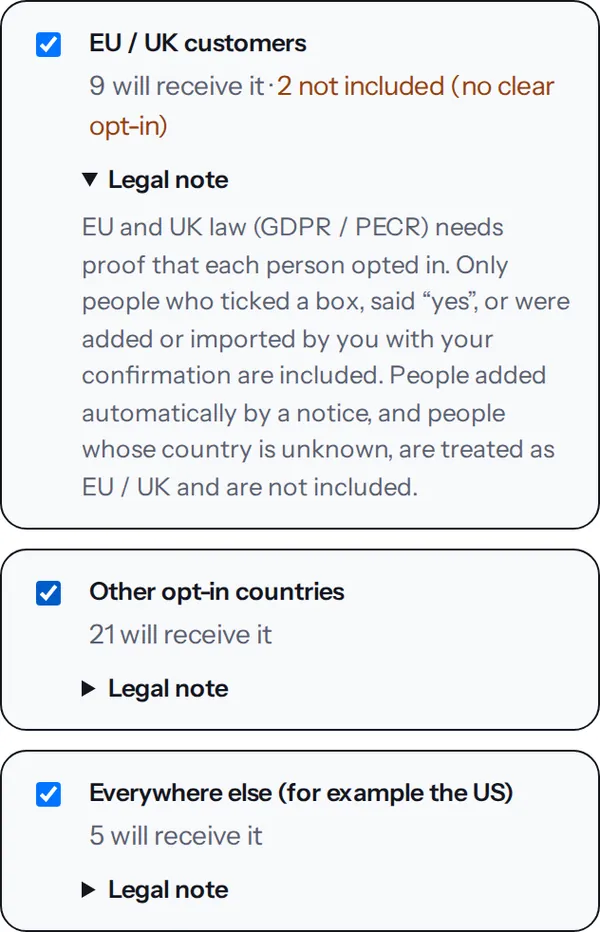
In strict regions only contacts with a clear opt-in are included: someone who ticked a box, said yes, confirmed by email, or was added or imported by you with your confirmation. People added only after a notice, and people with no country, are not emailed there. Open Legal note under a box for the short explanation.
4Send
Check the total at the bottom and press Send campaign. Sending needs your postal address in Settings and a sender email.
5After sending
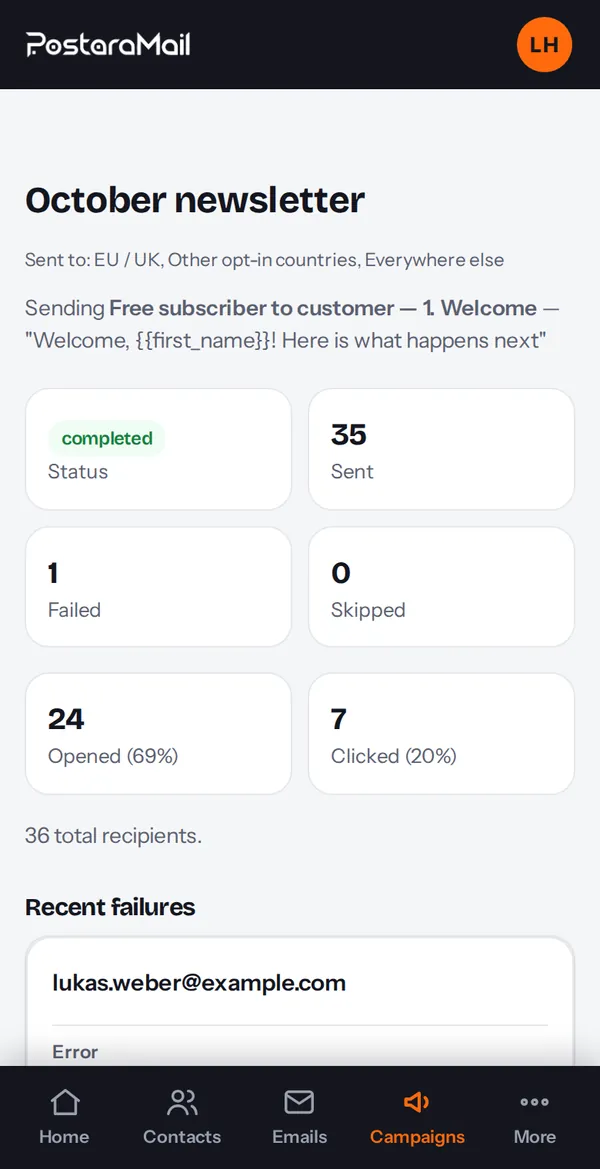
The campaign page shows progress, opens, clicks and the regions it went to.
Stuck? Contact support · All tutorials · Glossary