
Plans, billing, tax details and the API
Choose a plan, add your business and VAT/GST details, and use the API (Pro and Scale).
1Your plan
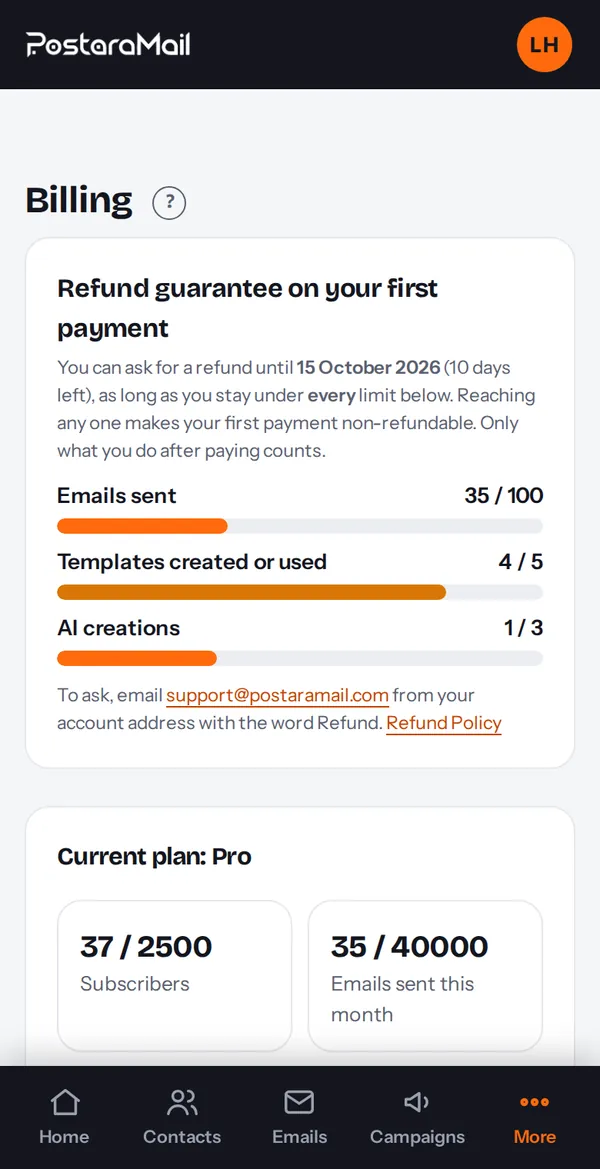
Open Billing from the account menu. It shows your plan, subscribers and monthly emails used, and lets you change plan monthly or yearly (yearly saves 25%).
2Cancel or manage
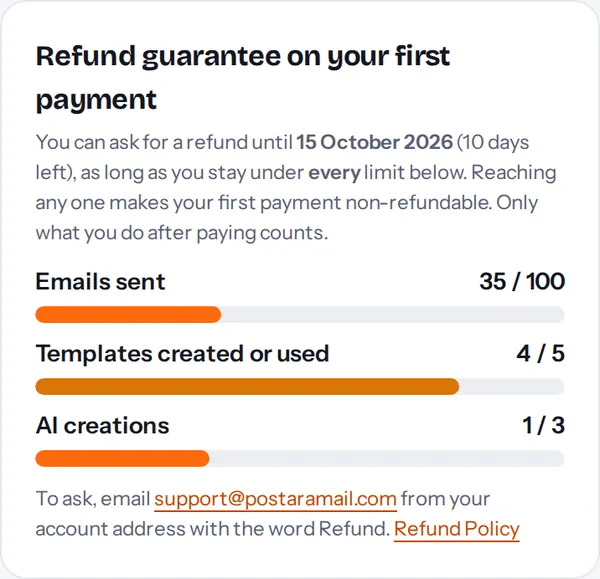
Press Manage billing / cancel to open the Stripe portal. You keep the paid plan until the end of the period you paid for. Your first payment can be refunded within 14 days if you use fewer than 100 emails, 5 templates and 3 AI creations after paying; renewals are never refunded.
3Your refund window
For 14 days after your first payment, Billing shows a Refund guarantee card with the date your window ends and your usage: emails sent, templates created or used, and AI creations. Staying under every limit keeps the refund available; reaching any one ends it. Only what you do after paying counts.
4Business and tax details
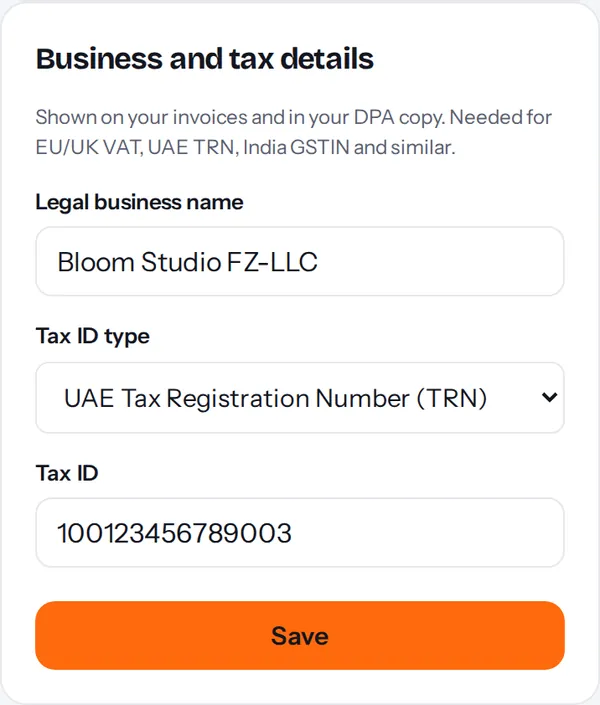
Under Settings, Legal and privacy, add your legal business name and your VAT, GST, TRN or other tax ID so invoices show them. You can also add it at checkout.
5API keys (Pro and Scale)
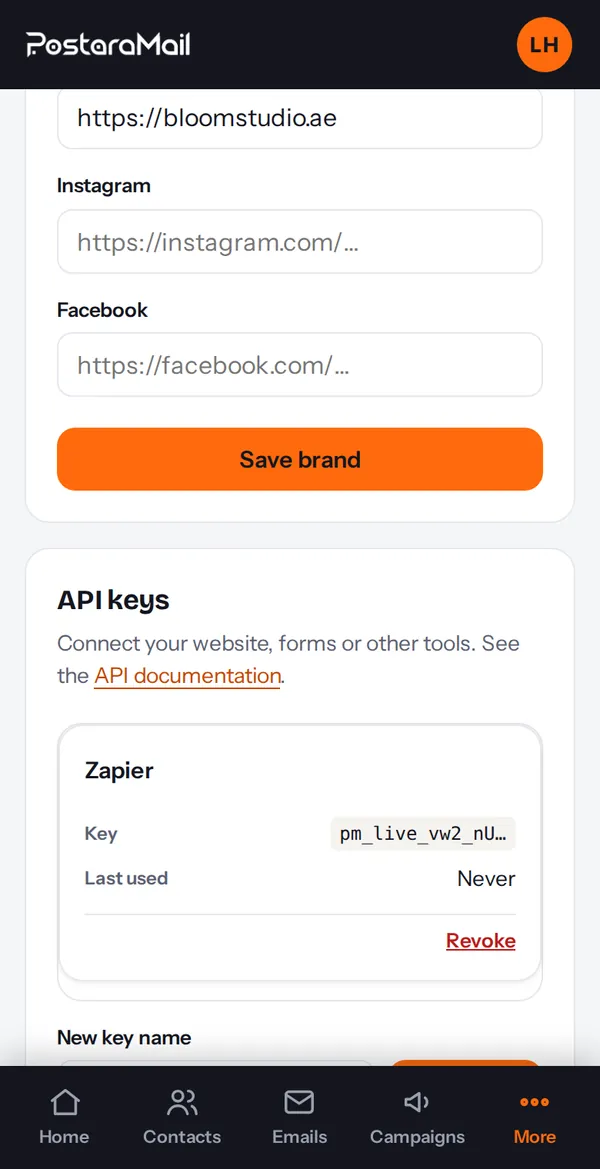
Under Settings, API keys press Create key to connect your own systems. Keys are shown once: copy and store them safely. Connected WordPress sites do not need a key.
Stuck? Contact support · All tutorials · Glossary